Okay, here's a step by step progress. First I studied the original panel that inspired the last image.
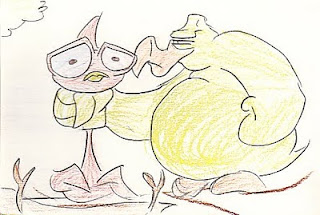
Then, I made a rough (very rough) layout of the image on a 8.5 x 11 sheet of paper. I tried keeping things within a 6 x 8 in. box (usually the ratio when I normally animate).
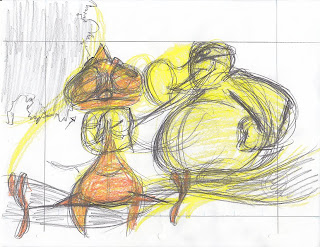
After that I tried tying everything down on their own layer (not scanned). When I finished, I started doing a tonal study based on the original storyboard panel.
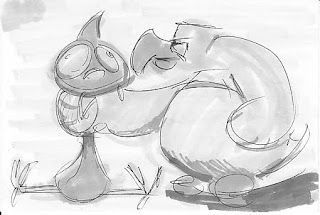
Once I was finished, I did a tonal layer to each of the tie downs. I also added a black outline to the characters.
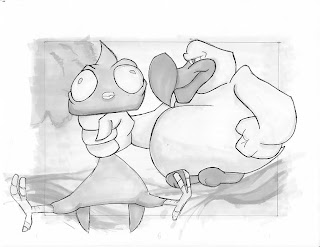
Finally, I added color in Photoshop. I used the same color scheme from the last image, since I kinda liked how that looked. I also cropped the image based on the ratio that I applied. Here's the final result.
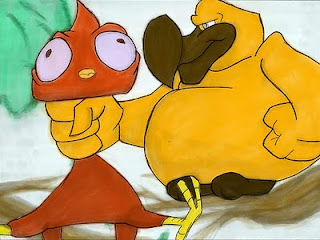
My thoughts:
Layout: Shouldn't have settled on the first drawing. Should've made sure that the characters (the most important part of the scene) fit within the scene. Too much of them break out and it looks sloppy. Maybe start with the character's general shape and then build the background around them? I should also study tree branches. Even for a cartoony design, these look kinda weird.
Tonal Study: I actually kinda like how this looks. I don't know if it's helping me as much as I'd like it to, though. It does help figure out the composition. Perhaps I should do a color study as well.
B/W Art: This should probably be called grey scale art. :-P Need to practice on the outlining of the characters. The contrast on the greys looked pretty good when before I scanned them. Maybe I need to up the contrast a bit? Maybe I should go straight to colors?
Color: Maybe I should skip the whole Grey Scale/Photoshop color deal and try coloring them as a final clean up instead. I just don't like the result of this. Other people pull it off really well but I think I'm missing something.
I don't want to give up on this image just yet. I'm gonna give a few more tries. After that, I'm going to start working on other aspects of this short, whether or not I perfect this!
Wish me luck. :)


